How to Fish — Controls Guide
Keyboard, mouse, and gamepad bindings for fishing, combat, and co-op.
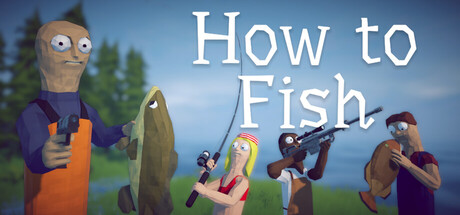
How to Fish is a physics game first and a fishing game second. The binds themselves are short, but the timing behind each press is what separates a clean catch from a snapped line. This page lists the default PC layout, how Steam Input interacts with gamepads, and the most common reasons a key or stick suddenly stops responding.
If you have not landed your first fish yet, pair this page with the Getting Started walkthrough. If input works but the session does not, jump to Troubleshooting.
Default Keyboard and Mouse
These are the bindings most players use after a fresh Steam install. Always confirm them in the in-game Controls menu — a leftover controller profile can steal keyboard focus.
- Move: WASD to walk the island and boat decks.
- Sprint: Hold Shift. Use it to reach a merchant before a seagull steals a carried fish, not as a default walk speed.
- Charge cast / reel: Hold the left mouse button to load a cast, release to throw. After a bite, hold again to reel and pulse the button when tension climbs.
- Look / aim: Mouse movement. Weapon hip-fire and scoped shots use the same look axis as the fishing camera.
- Interact: E for shops, NPCs, grills, casino tables, and world objects.
- Inventory / session menu: Tab. This is also where many players check connection quality in co-op.
- Drop carried fish: G. Drop before a seagull grab if you cannot shoot in time.
- Pause / settings: Escape. Confirm the active input device here if keys go dead.
- Steam Overlay: Shift + Tab. Invite friends from the overlay after you host a lobby.
Cast power is not a separate meter you tap once. The physics arc comes from how long you hold, the camera angle, and whether you are standing on a slope. A 45-degree release with a mid-length hold often lands farther than a panicked full-power flick.
Casting and Reeling Rhythm
The left mouse button does two jobs. Mixing them up is the number-one beginner complaint.
- Point the camera at the water or the bounce surface you want.
- Hold to charge. Watch the rod tip, not a UI power bar.
- Release on the frame you want the line to leave. Early release is a short shore cast. Late release with a high camera is a long arc.
- When the bite hits, hold to reel. If the tension marker climbs into the danger zone, release for a beat, then hold again.
- After a snap, wait the short recovery window before recasting. Use those two seconds to swap bait or step to a better ledge.
Trick shot players treat the mouse like a pool cue: small angle changes matter more than mashing. Details live in the Trick Shots guide.
Combat Binds
Weapons share the look axis with fishing. After you buy a gun from a shop, the same left-click that reels can fire, depending on what is equipped. Switch loadouts before a boss if you keep accidentally shooting the water.
- Hip-fire is enough for seagulls at close range.
- Scoped shots pay extra on airborne fish — the 360 no scope achievement wants a 360 kill without a scope.
- Explosives are inventory items, not a dedicated fire key. Open Tab, equip, then throw with the fire bind.
- Melee (fists, knuckles) is for the Handyman run and for punching a hooked fish your teammate launched. See Boss Fights.
Controller and Steam Input
How to Fish accepts Xbox-class gamepads through standard HID. PlayStation pads usually need Steam Input or DS4Windows so the game sees an Xbox layout.
- Plug the pad in before you launch. The game often locks the input device at startup.
- In Steam, open Properties for How to Fish, then Controller, and enable Steam Input if the pad is ignored.
- Set the pad as the default gamepad in Windows before launch if both a stick and a keyboard are connected.
- If keyboard keys stop working, unplug the pad and restart. Conflicting devices make the title ignore WASD.
- Low-power USB hubs can drop pads mid-session. Use a powered port on the case, not a front-panel splitter.
Rebind in the in-game Controls screen if a shoulder button fights the Steam Overlay. Overlay + sprint on the same combo is a common self-inflicted bind war.
Co-op Input Habits
Online co-op uses Steam lobbies. Host first, then Shift + Tab to invite. Public lobbies work, but friend-only sessions skip most random join noise.
Keep one player on boat throttle and the others on rods and guns. Shared physics means a teammate walking into your cast line is a real fail state. Voice chat is optional; if it is silent, check Windows default recording device before launch — the game latches the device that was active at startup. Full lobby steps are in the Co-op Guide.
When Binds Do Nothing
Work this list in order before reinstalling.
- Press Escape and confirm Keyboard is the active device.
- Empty Steam Launch Options. A leftover
-dx11or bind overlay from another title can sit there after a copy-paste guide. - Disable Steam Overlay temporarily if clicks register in menus but not in the world.
- Close GeForce Experience, Discord overlay, and ReLive. Injected overlays steal mouse capture.
- Verify game files. A broken input mapping file after a hotfix is rare but real in launch week.
- If only co-op ignores input, you are looking at a session desync, not a bind bug. Recreate the lobby.
Related Pages
- Getting Started — First-hour loop with these binds
- Trick Shots — Angle control after you can cast cleanly
- Co-op Guide — Overlay invites and host duties
- Troubleshooting — Launch, audio, and pad detection